
A Math Solver Free can save you from staring at a problem that won’t budge, but not every tool shows you how to get the answer. Some hand over a result with no explanation, others lock the steps behind a paywall, and a few handle only basic algebra. This guide compares six popular options so you can pick the one that fits your homework and your level.
What to Look for in a Math Solver Free
A good tool explains the answer, not just the result. Before you pick one, check these features:
- Step-by-step explanations: Look for clear steps that show each rule, not a bare final answer.
- Topic coverage: Make sure it handles your level, from basic algebra to calculus and graphing.
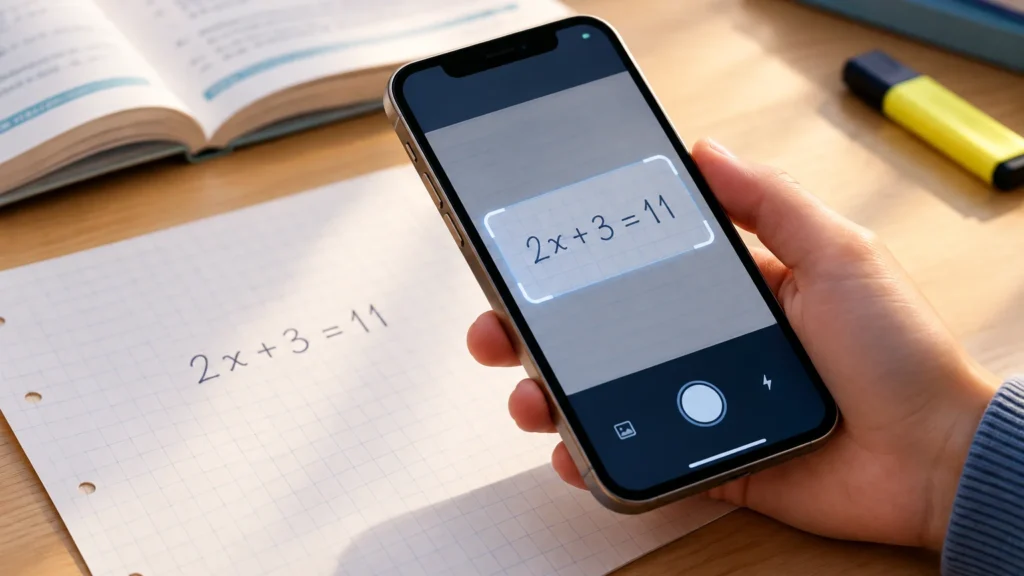
- Photo scanning: A camera feature saves typing, but it works best with clean, printed problems.
- Ease of use: A simple input box and readable notation matter more than extra buttons.
- What is really free: Many apps give answers free but lock detailed steps or explanations behind a subscription.
Read the pricing page before you rely on any app for homework. Free tiers change often, so confirm the current limits.
The Best Math Solver Free Compared
Each tool below is free to start, but they differ in how much help you get without paying. Some show full steps, while others give only the answer or a graph.
| Tool | Best for | Topics covered | Step-by-step access | Platforms |
|---|---|---|---|---|
| Photomath | Scanning homework with your phone camera | Arithmetic, algebra, geometry, trigonometry, intro calculus | Basic steps are free; deeper explanations may need a paid plan | iOS, Android |
| Microsoft Math Solver | Free steps plus graphs and practice | Algebra, trigonometry, calculus, statistics | Generally free | Web, iOS, Android |
| Symbolab | Algebra and calculus work | Algebra, calculus, matrices, series, and more | Limited free; full steps often need Premium | Web, iOS, Android |
| Wolfram Alpha | Advanced math, data and quick facts | Broad: math, science, statistics | Answers are free; full steps usually need Pro | Web, iOS, Android |
| Desmos | Graphing and visualizing functions | Graphing, functions, geometry tools | Not a step solver | Web, iOS, Android |
| GeoGebra | Geometry, graphing and exploring concepts | Geometry, algebra, calculus, 3D graphing | Limited; focuses on interactive exploration | Web, iOS, Android |
For a Math Solver Free that shows steps, start with Microsoft Math Solver or Photomath. Pair either one with Desmos when you need to see the graph. Plans and limits change often, so check each tool’s current pricing page.
How to Use a Math Solver to Actually Learn
A solver works best as a tutor, not a shortcut. Try the problem first, then use the tool to check your thinking.
- Attempt it cold. Write down your own steps before you scan or type anything in.
- Compare line by line. Find the first step where your work and the solution differ. That is usually where the mistake lives.
- Cover the answer. Reveal one step at a time and predict the next move.
- Ask why. If a step feels like magic, look up the rule behind it.
- Redo it blind. Close the tool and solve a similar problem from scratch.
Copying a final answer teaches nothing and rarely survives a test. Understanding the method does.
Which Math Solver Free Is Right for You
Pick the tool that fits your course, not the one with the most features.
- Middle school algebra: Photomath or Microsoft Math Solver. Both read a photo of a problem and show each step.
- High school geometry: GeoGebra lets you draw and test shapes.
- College calculus: Symbolab or Wolfram Alpha handle derivatives, integrals and limits.
- Graphing: Desmos is quick and easy to use.
Free plans have limits. Mathway, Symbolab and Wolfram Alpha often put full step-by-step solutions behind a subscription, and features change, so check each site’s current plan. If you are still deciding, this guide on how to choose the best math solver can help.
Key Takeaways
- Pick by need, not by name. Photomath suits photo-based homework help, Symbolab and Microsoft Math Solver cover algebra and calculus, and Wolfram Alpha handles advanced and data-heavy questions.
- Check what “free” includes. Many tools show answers for free but put detailed step-by-step solutions or extra explanations behind a paid plan. Confirm current limits on each official site.
- Graphing tools solve a different problem. Desmos and GeoGebra help you see how equations behave, which a typed answer cannot do.
- Try the problem first. Use the solver to check your work, find the step where you got stuck, and then redo the problem on your own.
- Match the tool to your level. A beginner needs clear steps, while a calculus student needs strong notation support and graphs.
Frequently Asked Questions About Math Solver Free
Is there a completely Math Solver Free with steps?
Yes, though limits vary. Microsoft Math Solver and GeoGebra have long offered free step-based help, while Photomath, Symbolab and Mathway often reserve some detail for paid plans. Features change, so check each tool’s current free tier before relying on it.
What is the best free math solver app for homework?
For most students, Photomath is a strong starting point because you can scan a printed or handwritten problem and see steps. Microsoft Math Solver is a solid alternative. The best choice depends on your course, device, and how much explanation you need.
Can a math solver handle calculus and word problems?
Most can handle derivatives, integrals, and limits when you enter them clearly. Word problems are harder, because you often must translate the text into an equation first. Wolfram Alpha and Symbolab manage calculus well, but always verify results against your own reasoning.
Is using a math solver considered cheating?
It depends on your teacher’s or school’s rules. Using a solver to check answers or understand steps is usually fine, but copying solutions on graded work often is not. When in doubt, ask your instructor which tools are allowed.
References & Further Reading
- Microsoft Math Solver – Microsoft
- Wolfram Alpha – Wolfram Research
- Desmos – Desmos Studio
- GeoGebra – GeoGebra
About This Article
This guide was written with AI assistance from publicly available information. Prices, nutrition values and availability can change, so confirm important details with the official source before you decide.